
Do You Really Need a Mouse Pad?



4 min
Computer mice have been around for over half a century and, for most of that time, have been paired with mouse pads. In simple words, a mouse pad is a surface on which the computer mouse moves. These mouse pads were a necessary piece of equipment in the older days, but with the advent of modern optical and laser mice, a lot has changed. Mice now can track on just about any surface.
So do you really need a mouse pad? Do they provide any benefit?
If you’re looking for a new mouse pad or just wondering whether it’s worth the investment, this is the article for you.
ARE MOUSEPADS IMPORTANT?
Since optical and laser mice do not touch the surface they track, mouse pads have quickly fallen out of fashion. So if you’re wondering whether owning a mouse pad really matters, the answer is yes. Here are some reasons why:
- Mouse pads are good for your office desk
Yes, mice can work on any surface, but repeated motions of your mouse’s feet against the office desk’s surface will wear away the finish on most office desks. Mousepads protect your office desk, keeping it looking cleaner longer. After some time, you may find your mouse mat wearing out too. But it is much cheaper to replace a mouse pad than your desk’s surface.
- Mousepads make working comfortable
If you work at a computer for more than 8 hours a day, you know the wrist aches and stiffness that come with using a mouse for so long. Mouse pads, especially those with wrist support, help keep your wrist from resting on a hard desk all day.
- Mousepads keep your mouse clean
Like any other object on your desk, your mouse will accumulate dirt, dead skin cells, and grime over time. This can reduce the mouse's accuracy. Mousepads contain your mouse in one area. This prevents dirt from getting accumulated in the mouse. It is really easy to clean a mouse pad too. For most of them, you just need a little bit of soap and water.
What Makes a Good Mouse Pad?
If you’re in the market for a good mouse pad, you must be wondering what mouse pads are made of and which one you should be going for. Here are a few things to consider when investing in a mouse pad:
- Material: Cloth or plastic. There are mouse mats made from steel, aluminium and wood, but we suggest you stick with the classics to avoid damaging your desk and your mouse's feet.
- Size: If you use a single monitor or a laptop, a regular-sized mouse pad works. However, a bigger mouse pad might be helpful if you use multiple monitors.
- Thickness: A thin mouse pad will protect your mouse and desk just as well as a thick one.
Are Mouse Pads with Wrist-Rest Good?
Using a mouse for upwards of 8 hours a day without a wrist rest can strain your wrists, as they may be held at an awkward angle for long periods. With a mouse mat featuring wrist support, you will be positioning your hand more ergonomically. The pads are designed to keep your wrists and hands in a more neutral position.
Where Can I Buy a Mouse Pad?
A mouse pad from any computer store or online store will fulfil your basic requirements. However, if you need specific recommendations or if you are buying in bulk for your employees, here are our top picks:
#1 FELLOWES MICROBAN ANTIBACTERIAL MOUSE MAT

The Fellowes Mouse Pad with Microban protection fights harmful bacteria’s growth for the product’s lifetime. It is suitable for Optical and Laser Mice. It has a non-slip rubber base.
#2 KENSINGTON FOAM MOUSE MAT BLACK WITH CUSHIONED WRIST REST

This Kensington Foam Mouse Pad features a super-cushioned foam pad that provides comfort and wrist support. The mouse pad also features a non-slip backing for stability.
#3 KENSINGTON DUO GEL MOUSE PAD WRIST REST

The Kensington Duo Gel Mouse Pad combines a durable vinyl pad with a wrist rest that completely moulds itself to your wrist shape. It also features a ventilation channel to keep hands cool and dry and has an easy wipe-clean finish.
Check out all the various types of mouse mats we have in stock for you: Codex Mouse Pads Ireland.
Latest Posts


 Neuroinclusion in the Workplace
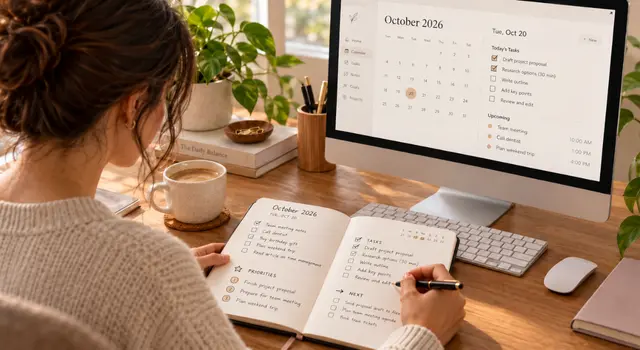
Different Working Styles Need Different Ways to Plan
Why do some planning systems work brilliantly for one person but not another? Dr Áine O'Dea explores how executive functioning, neurodiversity, and different working styles shape how we plan, prioritise, and manage our workday.

 Workplace Wellbeing
6 Ways to Move More and Support Mental Health at Work
Supporting your mental health at work can be as simple as moving more throughout the day. Discover six practical ways to build movement into your workday, whether you work in an office, remotely or in a hybrid role.